
How to Track Your Crypto Portfolio on CoinGecko
Set up a free CoinGecko portfolio, add coins and transactions, read profit and loss, and why a spot tracker is not the right tool for futures positions.

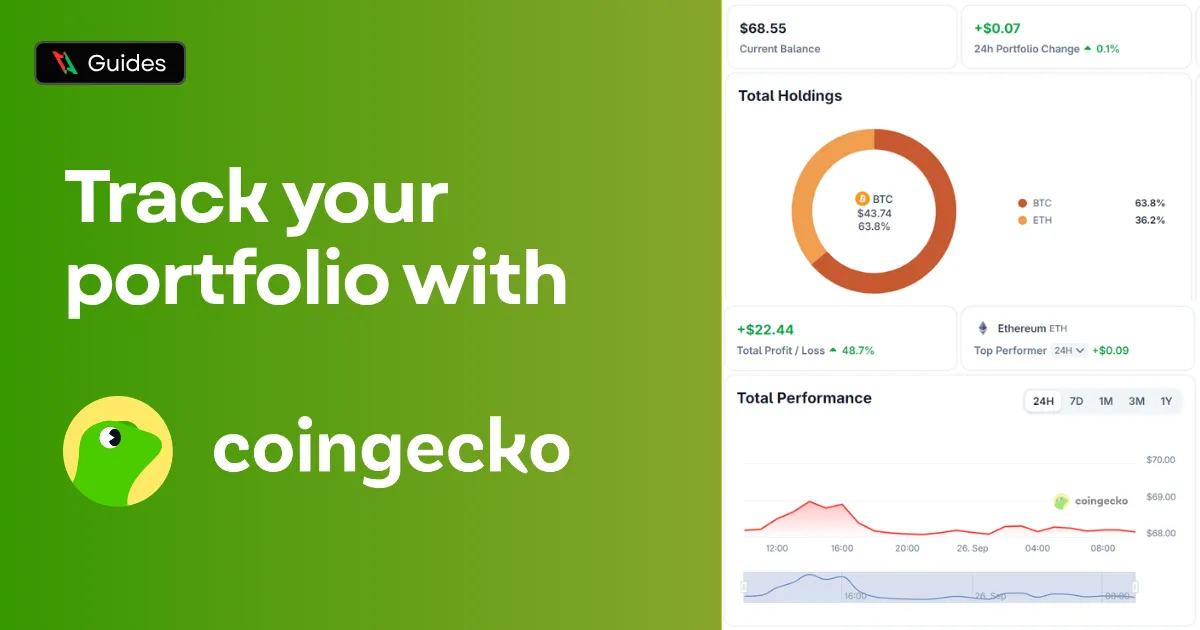
Losing track of your balances across three different exchanges and a hardware wallet is a crypto rite of passage. Calculating it all by hand shouldn’t be. CoinGecko’s portfolio tracker is a free, simple way to consolidate all your holdings into one clear dashboard, both on the web and in the mobile app.
Step 1: Create a CoinGecko Account
Sign up on coingecko.com. A free account is enough for the portfolio. Signing in also syncs the portfolio between the website and the app.
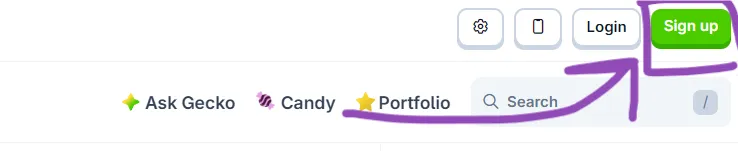
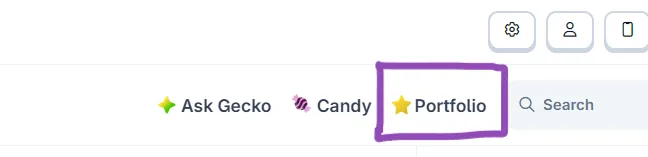
Step 2: Open the Portfolio
Open Portfolio from the top menu. The first time, CoinGecko creates a default portfolio for you. You can create more, for example one per exchange or one for long term holdings and one for trading.
Step 3: Add Coins
Press Add coin, search for the coin, and add it. Repeat for everything you hold.

Step 4: Add Transactions
A coin on its own only tracks the price. To track your profit and loss, add what you actually did:
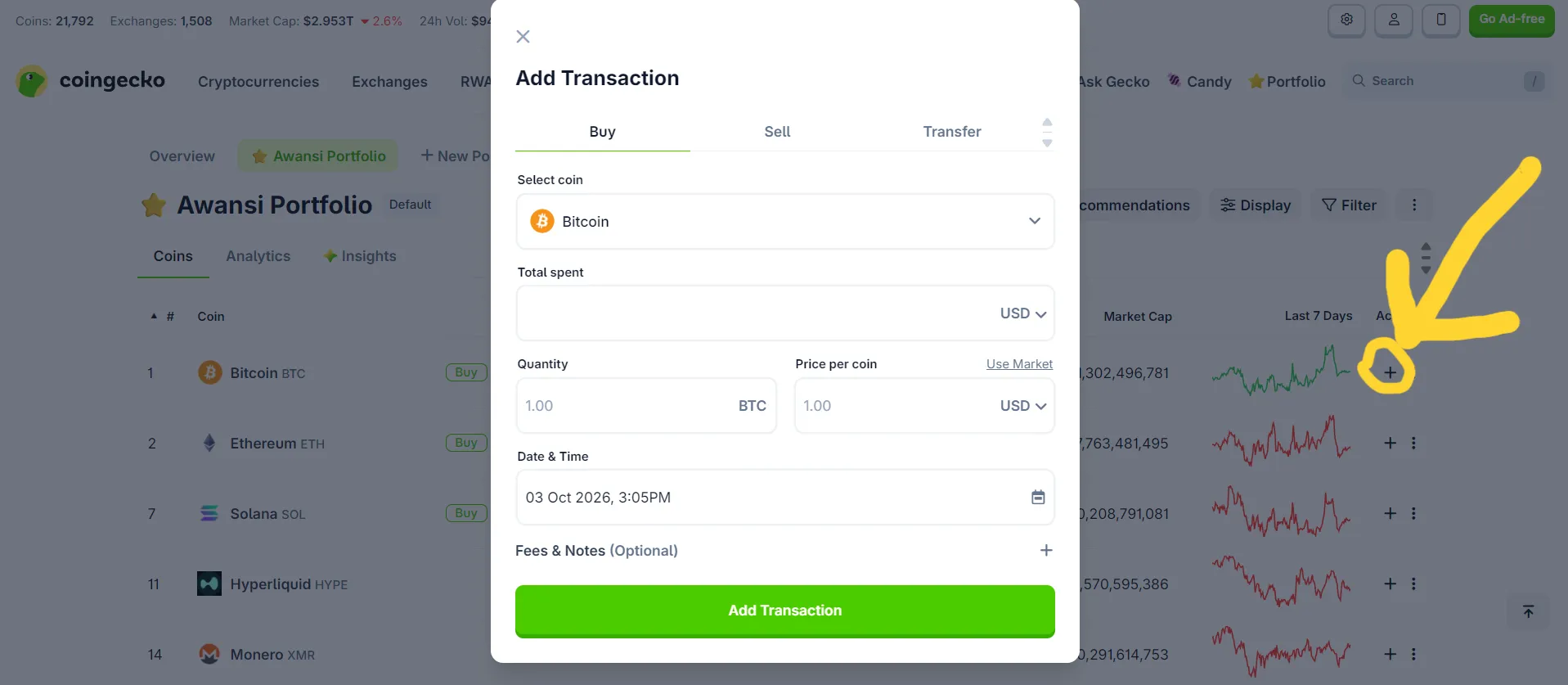
- On the coin’s row, press the plus or open the coin and choose Add Transaction.
- Choose Buy, Sell or Transfer.
- Enter the quantity, the price per coin and the date. Fees go under Fees & Notes.
- Press Add Transaction.
With transactions in, the portfolio shows your holdings, their current value, your average buy price, and profit and loss, per coin and in total.
Tips
- Record transfers, not only trades. Moving coins between your own wallets is not a sale. Record it as a transfer so your history stays accurate.
- Include fees. They change your real break-even price. Gas and network fees add up quickly.
- Use separate portfolios for separate purposes. Keep your long-term spot bags separate from your active trading stack so the daily churn doesn’t distort your overall performance chart.
Why It Is Not for Futures
A spot tracker is built around holding assets: you bought this much at this price. A perpetual futures position is a completely different beast. You do not own the coin, you post margin, you pay or receive funding, and your result is realized PNL in USDT. Trying to log a leveraged long as a simple “buy” in a spot tracker creates phantom numbers that will only confuse you.
For futures, the numbers that actually matter live on the exchange itself: your margin balance, unrealized and realized PNL, and funding paid. On Binance, they are buried in the futures transaction history. See Binance funding fee history and exporting your trade history.
The Solution for Futures Traders: Enter Awansi
While CoinGecko is great for long-term spot holdings, switching between tabs to calculate your active leveraged positions is a good way to get liquidated. For active traders, Awansi solves this. The Awansi terminal connects directly to your exchange and lists every open futures position with its margin, liquidation price, funding countdown, and live PNL in one unified, zero-lag interface.
Trade directly from your charts with Awansi Beta. Try it free.